







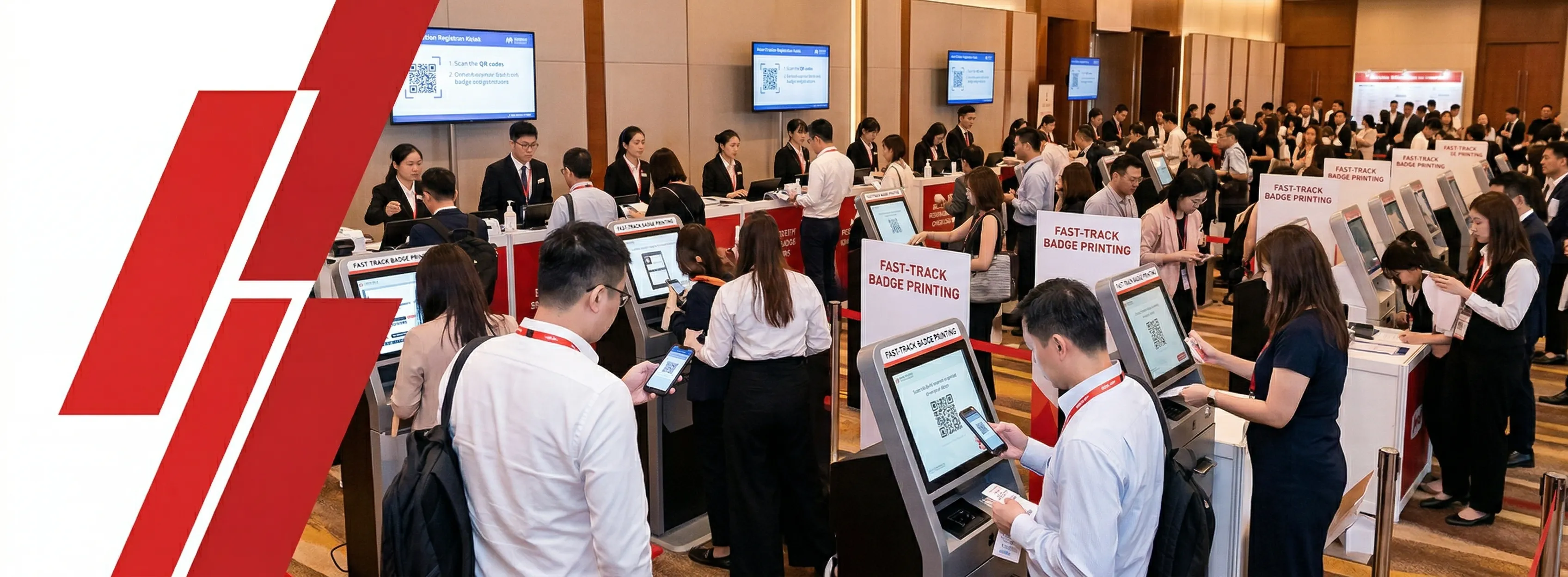
Every dollar you spend on a world-class keynote speaker, a premium exhibition floor, or a Michelin-starred networking dinner can be undermined in the first 30 seconds — at the registration desk.
Onsite registration is not an administrative function. It is the first physical experience your attendees, exhibitors, and sponsors have with your brand. Getting your onsite registration system right sets the emotional tone for everything that follows. And in Asia's hyper-competitive MICE landscape — where Hong Kong, Singapore, and Tokyo compete for the same global events calendar — the difference between a chaotic queue and a seamless digital check-in is the difference between a returning delegate and a lost account.
What Is Onsite Registration — And Why Is It More Than Just Checking People In?
Onsite registration is the complete system — hardware, software, staffing, and floor layout — that converts a pre-registered or walk-in attendee into a badged, data-verified participant. It is simultaneously your first brand touchpoint, your primary data collection moment, and your security perimeter. Treating it as a back-of-house logistics task is the most expensive mistake an exhibition organiser can make.
The 5 Functions a Modern Registration System Must Perform Simultaneously
- 1Identity verificationConfirming the person claiming a badge is the person who registered, via QR code, facial recognition, or name lookup.
- 2Access controlEncoding which zones, sessions, and meetings the badge-holder is authorised to enter, enforced at entry gates.
- 3Data captureRecording the timestamp, channel, and attendee category of every arrival for post-event analytics and sponsor reporting.
- 4Brand communicationThe kiosk interface, badge design, lanyard, and signage are active brand-touch moments — not neutral infrastructure.
- 5Compliance executionCollecting, storing, and protecting attendee personal data in accordance with PDPO, PIPL, and GDPR simultaneously.
HKCEC hosts a 15,000-attendee technology trade show with attendees from mainland China, Europe, and Southeast Asia. A single check-in at the registration kiosk must simultaneously: verify the QR code against the registration database (identity), encode the RFID badge for Hall A + Conference Zone access only (access control), log a timestamped arrival record (data capture), print a full-colour branded badge with sponsor logo (brand), and store the record under PDPO-compliant encryption with separate marketing consent flags (compliance).
Why Is Onsite Registration the Single Biggest ROI Lever at Your Exhibition?
The registration desk delivers more return on investment than almost any other operational upgrade — because it shapes every attendee's first impression, every sponsor's first data point, and every exhibitor's first experience of your brand's competence. A slow check-in is not an inconvenience; it is a commercial signal.
5 Reasons Onsite Registration Directly Drives Event ROI
- 1First impressions are disproportionately stickyResearch in service experience design consistently shows that first impressions outweigh even peak moments in shaping overall satisfaction. Registration is that first impression.
- 2Queue time correlates directly with sponsor renewalHigh-value sponsors who wait 20+ minutes at registration arrive at their stand stressed and behind schedule. That emotional starting point affects their evaluation of the entire event.
- 3Modern check-in is 15–18× faster than manualDigital badge scanning averages 6–10 seconds per attendee versus 2–3 minutes for paper sign-in. For 5,000 arrivals in one hour, that's the difference between a queue clearing in 7 minutes and one taking nearly two hours.
- 4Attendance data drives post-event ROI proofSponsor packages are renewed based on the analytics you can deliver after the event. No registration data = no proof of value = no renewal.
- 5APAC MICE buyers have the highest technology expectations globallyHong Kong welcomed 1.42 million overnight MICE visitors in 2024, spending approximately 40% more per capita than general tourists.
"This is the section I wish I could have shown to one client five years ago. They had an extraordinary conference programme — genuinely world-class speakers, a flawless venue — but they had outsourced registration to a team that had never run an event above 500 people. By 9:15 AM on Day 1, the queue was backing into the hotel lobby. I watched one of their platinum sponsors stand in that queue for 22 minutes. He didn't renew his sponsorship. I'm not speculating — he told the organiser exactly why. The registration desk is not back-of-house. It is front-of-house, and it needs to be resourced accordingly."
"8,000-attendee B2B trade show at AsiaWorld-Expo. Current setup: pre-printed badges, manual sorting, 12 staffed desks. Peak queue time: 35 minutes. Action: Replace with 40 QR code kiosks + print-on-demand. Result: peak queue time drops to under 4 minutes. Three exhibitors who had flagged "registration chaos" in the post-event survey do not appear in the complaint data the following year. Two renew at a higher tier.
Traditional vs. Digital: Direct Comparison
| Factor | Paper / Manual | Digital Onsite Registration |
|---|---|---|
| Average time per attendee | 2–3 minutes | 6–10 seconds |
| Walk-in handling | Queue, handwriting, delay | Dedicated kiosk lane, instant print |
| Data accuracy | ~80–90% (manual errors) | 99%+ (database-matched) |
| Compliance audit trail | None | Full timestamp + channel log |
| Badge customisation | Pre-printed or handwritten | Dynamic: name, title, QR, RFID, colour category |
| Sustainability | High waste (pre-prints for no-shows) | Print-on-demand: ~20% less material waste |
| Post-event analytics | None | Arrival peak mapping, session tracking, heatmaps |
What Are the Biggest Pain Points at Large-Scale Exhibition Registration?
The #1 cause of registration failure at large-scale exhibitions is designing for average load, not peak load — and for Hong Kong venues, that peak is always concentrated in the 60 minutes before opening, when 50% of your total daily attendance arrives simultaneously.
The 7 Most Common Failure Modes — In Order of Frequency
- 1Insufficient kiosks at peakThe most common and most preventable failure. If you have 20 kiosks at 120/hr and 3,000 people arrive in 60 minutes, you are building your queue 130 people per minute faster than you can clear it.
- 2Network failure without offline fallbackConvention centre WiFi degrades under the load of thousands of devices at exactly the moment you need it most. Any system without full offline mode is a liability.
- 3Walk-in chaosWalk-ins can represent 20%+ of attendance at major association events. Forcing them into the pre-registered queue creates simultaneous bottlenecks for both groups.
- 4Data sync gapsAttendees who registered in the final 48 hours before the event cannot be found in an un-synced onsite system, triggering manual overrides and queue paralysis.
- 5Hardware failures without hot sparesPrinter jams, ribbon errors, and tablet freezes are certainties at scale. The question is whether you have a hot spare ready and a technician within 90 seconds.
- 6No VIP express lanePlacing a platinum sponsor or keynote speaker in a general queue is a commercial catastrophe that a separate 2-kiosk lane costing almost nothing would have prevented.
- 7Venue-specific constraints underestimatedHKCEC's multiple entry points require distributed infrastructure. AsiaWorld-Expo's airport-adjacent location means international delegates arrive with checked luggage — plan wider aisle clearances than standard.
"I have a rule I share with every new client: design your registration infrastructure for the worst 15 minutes of the day, not the average 15 minutes. At HKTDC shows, I've seen 4,000 people arrive between 9:45 and 10:00 AM. That is 267 arrivals per minute. If you have 20 kiosks processing 100 people per hour each, you are generating a queue at a rate of 167 people per minute faster than you can clear it. The maths is brutal and it does not lie."
"6,000-attendee exhibition at HKCEC Hall 3. Organiser planned 18 kiosks based on total daily attendance ÷ 8 operating hours (average load thinking). What actually happened: 3,000 people arrived between 9:30 and 10:30 AM. 18 kiosks at 100/hr = 1,800 people/hr capacity. Queue built at 1,200 people/hr for 40 minutes before clearing. Correct approach: 50% of total attendance (3,000) ÷ 100 × 1.25 = 38 kiosks minimum, plus 9 hot spares.
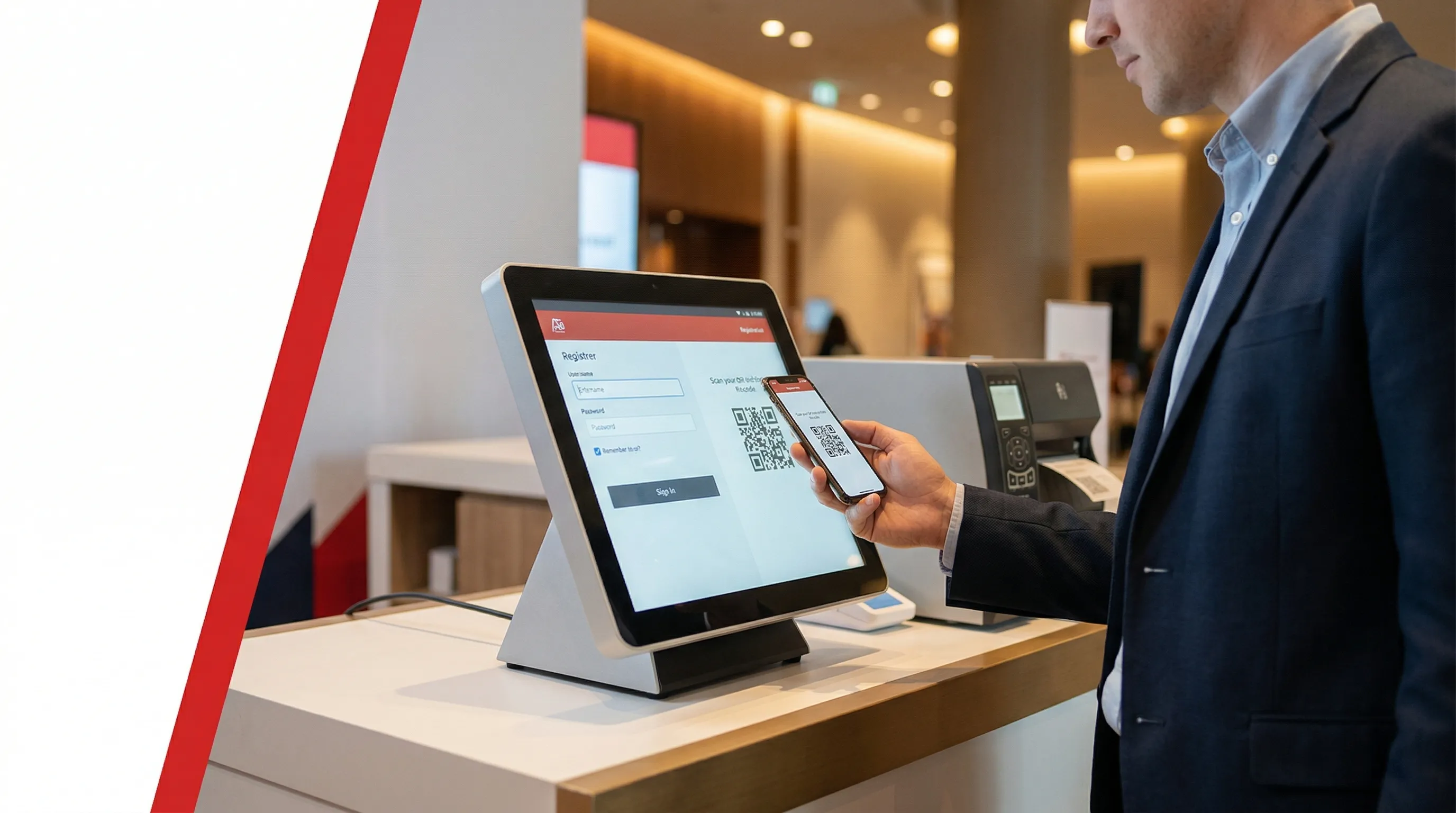
What Technology Should You Use? A Complete Hardware and Software Guide
For most large-scale Asian exhibitions in 2025–2026, the optimal onsite registration system is: QR code check-in + print-on-demand thermal badging + offline-capable software platform. Everything else is either an add-on for specific use cases or a downgrade.
The 5-Technology Landscape
- 1QR code + print-on-demand kiosks — The default choiceLow cost, high attendee familiarity, no compliance overhead. Delivers 100–120 attendees per hour per station. Suitable for all event types above 500 attendees.
- 2Facial recognition lanes — Opt-in fast lanes onlyFastest throughput (~400/hr per station), but triggers strict PIPL obligations for mainland Chinese attendees and GDPR Article 9 for EU attendees. See how Info Salons deploys facial recognition for events as a compliant opt-in fast lane — never as the primary method for mixed international audiences.
- 3RFID/NFC smart badges — Access control and analytics layerDeploy when sponsors require foot traffic data, sessions require capacity management, or exhibitors need contactless lead capture. Global RFID event badge market growing at 14.2% CAGR.
- 4WeChat Mini Program — Non-negotiable for mainland Chinese attendees1.4 billion monthly users. Full registration-to-check-in flow without leaving the app. WeChat Pay integration eliminates a separate payment step for walk-ins.
- 5WhatsApp QR delivery — Essential for SEA and international attendees90% open rate within 3 hours of delivery. Both WeChat and WhatsApp require backend integration — the kiosk scanner does not care which channel delivered the QR code.
"When I evaluate a new technology vendor for a client, I ask them one question before anything else: 'What happens when your system goes offline at 9:58 AM on Day 1?' The answer tells me everything I need to know about how they've actually run events versus how they've only ever demoed them. A vendor who says 'that won't happen' has never run a 20,000-person show. A vendor who walks me through their local cache sync architecture and their hot-spare protocol — that is a partner."
"8,000-attendee technology trade show at AsiaWorld-Expo: ~40% mainland Chinese, 30% Southeast Asian, 30% international including EU. Action: QR + POD kiosks as primary check-in for all attendees. A dedicated facial recognition opt-in lane with a PIPL consent enrollment station — staffed by a team member who explains the consent form before directing attendees to the facial recognition kiosk. EU attendees who decline use the standard QR lane with no friction.
Technology Selection at a Glance
| Technology | Best For | Throughput / Station | Compliance | Cost |
|---|---|---|---|---|
| QR + POD Print | All events — the default | 100–120 / hr | Low | Low–Med |
| Facial Recognition | VIP / opt-in lanes | ~400 / hr | High (PIPL + GDPR) | High |
| RFID / NFC Badge | Analytics, access, cashless | 500+ / hr (tap gates) | Medium | Med–High |
| Self-Service Kiosk | High-volume permanent setups | 100–120 / hr | Low | Medium |
How Should You Design Your Registration Floor Layout to Maximise Throughput?
Design your registration floor for the worst 15 minutes of the day, not the average. In Hong Kong, that worst 15 minutes is always just before opening, when 50% of your attendees arrive in a single hour. A layout engineered for average load will fail at precisely the moment it matters most.
5 Layout Principles That Determine Throughput
- 1Separate pre-registered and walk-in flows from the first visible metreSignage in English, Traditional Chinese, and Simplified Chinese minimum. Never share a queue between attendees with fundamentally different processing needs.
- 2Use L-shaped or U-shaped kiosk arrays with dedicated exit corridorsCounter-flow between arriving and departing attendees is the single most common avoidable bottleneck in registration design.
- 3Position lanyards and badge holders after the printer exit, not before itAttendees who pick up a lanyard before receiving their badge stop at the printer exit and create a secondary bottleneck.
- 4Designate a physically separated VIP/Speaker Express LaneMinimum 2 kiosks, staffed by your most senior registration team member. Not just signed — physically separated by a barrier.
- 5Build a buffer zone between registration exit and exhibition floor entryAttendees need 15–20 seconds to attach a lanyard and orient themselves. Without this zone, they become a standing obstruction at the threshold of the floor.
"I've reviewed floor plans for registration areas from Tokyo to Dubai, and the single most common mistake I see is this: organisers design the layout around how they think attendees will behave, rather than how they actually behave. Attendees do not read signs. They follow the person in front of them. Your layout has to make the correct path the only visible path — and your queue management has to make every lane look equally long, or everyone will pile into the two shortest ones and ignore the rest."
"Throughput Formula
Single-hall event at AsiaWorld-Expo, 6,000 attendees, formal 10:00 AM opening. Action: 28 active kiosks in a U-shape with 7 hot spares, 3 dedicated walk-in counters physically separated by a 2-metre barrier, and 2 VIP stations accessible directly from the VIP entrance. Total footprint approximately 650 sqm. Exit corridor leads into a 200 sqm buffer zone before the hall doors open.
How Do You Ensure Data Security and Privacy Compliance at Registration in Asia?
Large-scale Hong Kong exhibitions must comply with three simultaneous data privacy regimes — PDPO, China's PIPL, and the EU's GDPR. Non-compliance is not a theoretical risk: China's first publicly disclosed cross-border data transfer enforcement action occurred in May 2025.

The 5 Compliance Actions Every Exhibition Organiser Must Take
- 1Display a Personal Information Collection Statement (PICS) at every registration touchpointRequired under PDPO DPP1, presented before or at the moment of data collection.
- 2Use separate, unchecked consent boxes for every distinct data useEvent communications, sponsor data sharing, photography/video, and post-event marketing each require their own opt-in. Bundled consent is legally invalid under all three regimes.
- 3If deploying facial recognition: complete a PIPIA before the eventCollect explicit written consent at enrollment, and offer a non-biometric alternative at every station — mandatory under PIPL; required under GDPR Article 9.
- 4Confirm your cross-border data transfer mechanism with legal counsel before the eventPIPL requires CAC Security Assessment, STC, or Certification; GDPR requires SCCs with Transfer Impact Assessments for EU attendee data.
- 5Define and automate your data retention deletion schedule before Day 1Under PDPO DPP2, data cannot be retained beyond its collection purpose. Typical practice: purge identifiable records within 12 months, retain anonymised analytics indefinitely.
"I once saw an organiser lose a major sponsor because the data reporting took three weeks to deliver — and when it finally arrived, it was incomplete, inconsistent, and almost certainly not compliant with the consent the attendees had given at registration. The sponsor's legal team flagged it immediately. The organiser didn't get a second chance. In this environment, your registration platform is also your compliance platform. If your vendor can't show you where consent is captured, how data is encrypted, and which jurisdictions the servers sit in, you have the wrong vendor."
"EU-headquartered industry association hosting its Asia-Pacific chapter conference in Hong Kong. ~300 EU/EEA attendees, 400 mainland Chinese attendees, 800 from other countries. Action: Registration form includes three separate unchecked checkboxes (event communications / sponsor data sharing / photography). Standard Contractual Clauses executed between the Hong Kong platform vendor and the EU-headquartered organiser, with a Transfer Impact Assessment on file. Facial recognition not deployed — QR only — because the PIPIA requirement is not justified for the throughput gain at this scale.
Tri-Jurisdictional Compliance Reference
| Obligation | PDPO (HK) | PIPL (China) | GDPR (EU) |
|---|---|---|---|
| PICS / Privacy notice | ✅ Required | ✅ Required | ✅ Required |
| Explicit consent for marketing | ✅ Required | ✅ Required | ✅ Required |
| Facial recognition: separate consent | ⚠️ Best practice | ✅ Mandatory | ✅ Mandatory |
| Facial recognition: non-biometric alternative | ⚠️ Best practice | ✅ Mandatory | ✅ Mandatory |
| DPIA / PIPIA before biometric deployment | ❌ Not mandated | ✅ Mandatory | ✅ Mandatory |
| Cross-border transfer mechanism | ⚠️ GBA STC available | ✅ CAC / STC / Cert | ✅ SCCs + TIA |
| Breach notification obligation | ❌ Not mandatory | ✅ Required | ✅ 72 hrs |
| Maximum penalty | HK$1M + 5 yrs | CNY 50M or 5% turnover | €20M or 4% global turnover |
What Is Your Contingency Plan When Technology Fails at Peak Registration?
When technology fails at 9:58 AM on Day 1, the difference between a 90-second recovery and a 90-minute meltdown is determined entirely by decisions you made 72 hours earlier — not by what you improvise on the floor.

The 5-Layer Contingency Architecture
- 1Offline mode — the non-negotiable baselineFull functionality without internet, operating against a local encrypted cache, with automatic sync on reconnection. Non-negotiable for any event above 1,000 attendees. Test it: disconnect mid-demo, process 20 check-ins, reconnect, verify the sync.
- 2UPS on the server/router hubPower failures are more common than software failures at large events. Up to 10 kiosks: minimum 1500VA / 900W. 11–25 kiosks: 3750VA or two 1500VA units in parallel. Cost: less than two hours of queue-related sponsor damage.
- 3VLAN isolation for the registration networkKeeps registration traffic on a private, encrypted network segment, isolated from public event WiFi — the same secure infrastructure that underpins event access control at large-scale exhibitions. Eliminates bandwidth competition and prevents data interception.
- 4IT Rapid Response Team on-site throughout Day 1 peakSenior IT lead + hardware technician + network specialist, positioned at the registration hub. Must complete a full live stress test 72 hours before the event — including intentional network dropout to verify offline mode.
- 5Analogue backup protocolPre-printed emergency attendee list, blank badge stock, Sharpies, and a pre-written public address script. When all technology fails, staff should execute this without a single moment of confusion.
"At a show in Southeast Asia, a local power surge tripped the breaker on the entire registration hub — eight kiosks, three printers, two routers — all offline simultaneously at 9:52 AM. The organiser had a backup system on the cloud. It was completely useless because the network router was also dead. We were handing out handwritten sticky-note badges for 18 minutes. I now make UPS units a non-negotiable line item in every registration budget I review. The unit costs less than two hours of queue-related sponsor damage."
"15-kiosk registration hub at HKCEC Hall 1. Deploy two 1500VA UPS units in parallel — one protecting the router and local server, one protecting the network switch. Configure a dedicated SSID isolated via VLAN from the venue's public WiFi. Test under full simulated load 72 hours before Day 1. Total additional cost: ~HK$3,000–6,000. Cost of an 18-minute outage at a 10,000-person show: immeasurable.
How Is Sustainable Onsite Registration Changing Exhibition Standards in Asia?
Deploy print-on-demand, eliminate PVC badge holders, and establish a lanyard collection programme — these three actions reduce registration material waste by up to 30% and increasingly satisfy ESG requirements in corporate event procurement criteria across Hong Kong and Greater Asia.

4 Sustainable Registration Actions, Ranked by Impact
- 1Print-on-demandEliminates waste from no-show pre-prints. At free exhibitions with 40–60% no-show rates, this single change can reduce badge material consumption by more than half. Impact: high. Cost change: neutral to positive.
- 2Sustainable badge materialsFSC-certified recycled paper, seed paper (biodegradable and plantable — academic research found 78% positive attendee reaction), bamboo fibre, or recycled PET substrates.
- 3Lanyard collection stations at exitsBadge recovery systems achieve up to 98% collection rates. The Lanyard Library nonprofit achieves 85% return rates. Impact: medium. Cost change: minimal.
- 4Digital-first session credentialsReplace paper session tickets and breakout passes with NFC session check-in gates or QR scanning. Impact: high across a multi-track three-day conference.
"I had a client — a major European association running their Asia-Pacific chapter conference in Hong Kong — who required us to provide a full material waste report for the registration operation as part of our post-event deliverable. They wanted to know the weight of badge stock used, the number of lanyards distributed versus collected, and the percentage of walk-in badges versus pre-print estimates. Two years ago, that would have been an unusual request. Now I see it in RFPs regularly. If your registration system cannot generate that report, you are not equipped for where the market is going."
"5,000-attendee regional conference sponsored by a European multinational requiring an ESG compliance report. Action: Switch to print-on-demand (eliminating ~1,800 pre-printed badges for expected no-shows), specify FSC-certified recycled paper badge stock, deploy bamboo fibre lanyards, install collection stations at all three exit points (target ≥85% recovery), and configure the registration platform to auto-generate a post-event material usage report. Deliver to the sponsor within 5 business days of event close.
How Do You Turn Registration Data Into Strategy for Your Next Event?
Registration data is the opening chapter of your post-event analytics story, not the end of your operational story. The entry timestamps, arrival channel breakdowns, and session occupancy rates generated on Day 1 are the inputs that convert a one-time event into a continuously improving commercial programme.
4 Data Outputs That Drive Measurable Decisions
- 1Arrival heatmap and peak traffic curveMinute-by-minute timestamp data reveals your true peak window and provides the empirical basis for staggered invitation scheduling the following year.
- 2Attendee category breakdownPre-registered vs. walk-in ratio, buyer-to-supplier ratio, international vs. domestic split, and returning vs. first-timer ratio directly inform next year's pricing strategy and marketing channel allocation.
- 3Session occupancy by time slot, topic, and speakerSessions with low occupancy signal scheduling or content problems; sessions with overflow signal expansion opportunities.
- 4Sponsor and exhibitor foot traffic and dwell time analyticsHall and zone foot traffic counts, dwell time by booth, and NFC-powered event lead capture volumes are the deliverables that justify sponsor renewals.
"The question I ask every client after an event is not 'How did registration go?' It's 'What did your registration data tell you that you didn't know before?' That reframes the conversation. If your registration system can't tell you what time the most senior buyers arrived, or which sessions had the highest walk-in-to-pre-registered ratio — you don't have a registration system. You have a queue management tool."
"Annual trade show, 8,000 attendees. Analysis of the previous year's timestamp data reveals 62% of attendees arrived between 10:00–10:45 AM — not the 9:30–10:30 window previously assumed. The following year, invitations are sent 3 days earlier with a staggered arrival time recommendation. Peak hour arrival distribution flattens by approximately 18%. Kiosk count is reduced by 8 stations versus the prior year's over-build, saving approximately HK$40,000 in equipment rental.
Conclusion: The Registration Desk Is Your Highest-Leverage Investment
Invest in onsite registration infrastructure before you invest in another keynote speaker, a larger exhibition floor, or a more elaborate networking dinner — because no amount of content quality recovers a brand that opened with a 40-minute queue.
- 1Offline-capable QR + print-on-demand platformThe non-negotiable foundation. Test it before you sign.
- 2Kiosk count sized for peak load, not average loadThe most common and most fixable planning error.
- 3UPS on the server/router hub + VLAN isolationTwo protection layers that most organisers skip and regret.
- 4Tri-jurisdictional compliance architecture before Day 1Built into the form, not patched in after the event.
- 5Post-event analytics workflowConverts attendance timestamps into commercial decisions for the following year.
Frequently Asked Questions
Direct answers — no preamble.
Formula: (50% of total attendance) ÷ 100 × 1.25 = minimum active kiosks. Add hot spares at 1 per 3–4 active stations, plus dedicated walk-in and VIP lanes.
For full-colour badge printing, reduce throughput to 80 / hr. For facial recognition lanes, use 400 / hr.
If your system has genuine offline mode: staff see no change, check-in continues against the local cache, transactions queue silently and auto-sync on reconnection.
If offline mode was not pre-loaded: every station shows "Connection Error" and the queue stops completely. Ask your vendor to demonstrate offline mode in a live demo before signing. Protect your router hub with a minimum 1500VA UPS.
Yes — without qualification for any event attracting mainland Chinese or international Asian attendees.
Yes — but with strict requirements under PIPL:
EU/EEA attendees trigger identical GDPR Article 9 obligations.
Print-on-demand for events above 500 attendees, in almost all cases. No sorting, no searching, no waste for no-shows — which average 40–60% at free exhibitions — instant walk-in handling, and automatic last-minute data updates.
The only exception: highly personalised VIP badges with premium materials. Deploy POD for general attendees, pre-printed premium for VIPs only.
Start with print-on-demand, add FSC-certified or seed paper badge stock, switch to bamboo or recycled PET lanyards, and install lanyard collection stations at exits. This achieves ≥20% waste reduction and satisfies most corporate ESG procurement requirements.
For events without ESG obligations, print-on-demand alone captures 80% of the sustainability benefit at zero additional complexity.
That is the gap that Info Salons' event technology solutions are built to close — a single connected platform where registration, badging, access control, lead capture, and post-event analytics operate in real time from one source of truth, eliminating the sync failures that turn manageable problems into Day 1 crises.